
GPX Viewer
Introduction
GPX Viewer is a freeware viewer for GPX files, hence the name. It works on Windows Mobile PocketPC based device that supports the .NET Compact Framework 2.0.A GPX file is an XML file that typically contains information about geocaches. These files can be obtains by premium members of geocaching.com and many programs, like EasyGPS and GSAK. It is the main source of information for all geocachers who practice paperless caching.
Requirements
- Windows Mobile device
- .NET Compact Framework 2.0 or higher
- To generate GPX files on geocaching.com, you need to be Premium Member.
- Tested in the PocketPC 2003 SE emulator with a Garmin eTrex connected to the serial port. Tested and used in the field on a HTC TyTN II WM6.0 device, a phone with a built-in GPS receiver.
- It is untested on a Smartphone (without a touch screen).
Download
To download version 1.2.1, click here. This file contains the installation program and the documentation.
How to install
- Copy
GpxViewer-121.cabfrom the archive to your device, start it from the Explorer and complete the standard installation steps. - GPX Viewer appears in your Programs list and is ready to use.
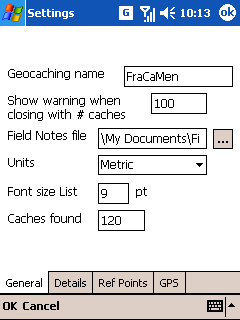
- When you run it for the first time, it is advised to go through the Settings.
- If you have problems installing the .cab file, you can download the seperate files and install them manually.
Future of GPX Viewer
I think there is no real future of GPX Viewer. The reason for this is that my old Windows Mobile phone died in the summer of 2010 and I now have an Android-based phone. So there is no personal need anymore to develop this application. And without an actual device it is impossible to really test changes to the software. The emulator just doesn't work for many things, like a moving GPS.
Furthermore, not that many people seem to be interested in Windows Mobile applications anymore. The number of visitors to my site are decreasing. And I don't get much feedback about the application, but maybe that is just because people are happy with GPX Viewer the way it is.
Cache attributes in your Pocket Query
Note that to enable the geocache attributes to be included in your Pocket Query, you need to update your Account Preferences and set the GPX Version to "GPX 1.0.1". A bit strange naming, it is not about the actual GPX version, but about the Groundspeak GPX extension.
Screenshots
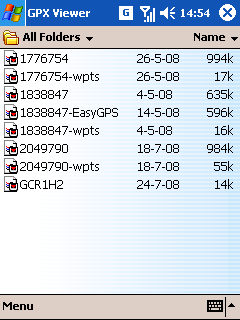
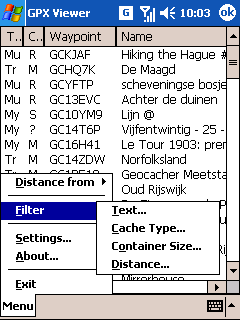
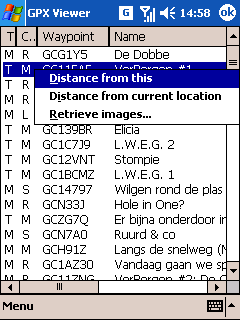
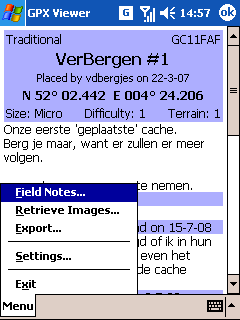
Release history
Version 1.2.1 (29 June 2010)- Fixed miscalculation in the bearing.
- The precision of the bearing can be adjusted in the Settings.xml, no UI for this.
- Upgraded ADO.NET SQLite library to version 1.0.66
- Added support for the attributes made available in Groundspeak Pocket Queries.
- Added support new naming of Mystery / Puzzle caches in Groundspeak Pocket Queries. Both the texts "Unknown" and "Mystery/Puzzle" are recognized as Mystery.
- Various minor tweaks and improvements.
- Fixed an issue when the
<time>field in the GPX file was filled with a "empty" date.
Thanks to Edward J. Morgan for reporting this and basic GPX file problem solved in 1.1.0
Version 1.1.0 (30 September 2009)- If there is only one cache in the .gpx file, open this cache directly.
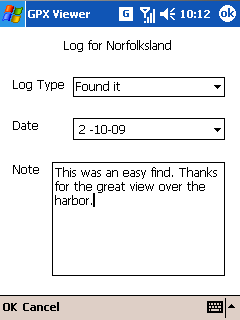
- Added an automatic count for found caches. On the General tab of the settings you can specify the current number of found caches. When you enter a new Found log, the counter will be increased and this counter will added in front of your own typed log. Note that the counter is only added to new created log! When the number of finds is set to 0 this feature is disabled.
- If the user opens an Additional Waypoints file (-wpts), try to open the main file instead.
- An altitude is not converted to kilometers or miles anymore, but is always shown in meters or feet.
- Hide the Reference Point tab when the Settings is opened from the list of caches.
- Fixed issue that a basic GPX file without geocaching information did show as an empty list. It now shows its waypoints again. Note that GPX Viewer is really geared towards geocaching GPX files.
- Upgraded ADO.NET SQLite library to version 1.0.65
- Various minor tweaks and improvements.
- If there is only one cache in the .gpx file, open this cache directly.
- Added limited support for decoding BB-code in the logs.
- Added support for the Additional Waypoints (-wpts) file. The waypoints are added to the cache and shown as separate points in the cache details. These waypoints are also exported in the .loc file. When a .gpx file is generated directly from a cache page on geocaching.com the additional waypoints are stored in that single file. These waypoints are also recognized, as well as GSAK generated .gpx files which uses a similar approach.
- Added support for downloading the spoiler images from the images gallery of a cache.
- Renamed (mostly internally)
geocache_visits.txttoFieldNotes.txt. - Field Notes also supports "Webcam Photo Taken" for Webcam cache.
- GSAK generated .gpx files version 1.1 are now supported. With the 1.0 format the Groundspeak cache information is stored directly under the wpt-tag (the same way geocaching.com Pocket Queries are generated), as with 1.1 files this groundspeak cache information is stored under the extension-tag.
- Temporary downloaded images are automatically cleaned up after 21 days. This is configurable in the Settings.
- The font size of the list with caches and the font size of cache details are configurable. The default setting for both is 9pt. Note that the editing the Font size CSS doesn't always work as you might expect. The cache owners can put all sort of layout stuff in their cache description. These things have precedence over this setting. That just the way HTML and CSS work.
- Added a Text filter. With this you can filter the list of caches on a simple text. Nothing special yet like regular expressions. It simply tries to find the specified text (case insensitive) in the fields specified with the checkboxes.
- Added a Distance filter.
- Added an option "Get Images" to the Details settings to always download the images in a cache description. This is disabled by default.
- Adjusted the buttons to close the forms for a filter. There now is menu with an easier way to disable that filter.
- Upgraded ADO.NET SQLite library to version 1.0.62
- When GPX Viewer is ran for the first time, it tries to find the GPS settings from the registry. This helps the setup, when you have Windows Mobile 5 and up on your device.
- Fixed an exception when writing the Field Notes file. The original Field Notes files is now backup-ed before the new file is written. If it is written successfully, the backup is removed.
- Fixed an exception when there are multiple entries of the same waypoint name (aka GC code) in the GPX file.
- Various minor tweaks and improvements.
Version 1.0.0 beta 2 (29 May 2009)
Version 1.0.0 beta 1 (5 May 2009)
Version 0.9.0 (26 January 2009)- You can now edit the Reference Points in the Settings.
- It is possible to filter the caches in the list. At this moment only on cache types and the container sizes. More filters will come. Note that filters are not stored.
- There is a button in the Settings to clean all the downloaded temporary images. Automatic cleanup is not yet implemented.
- You can prevent that the device goes to stand-by mode when it is showing the cache details and the GPS form.
- When you open a GPX file with more than 100 caches in it, a confirmation is asked before closing the list of caches. This number is configurable in the Settings.
- Various other improvements to the Settings.
- Fixed an exception when the path in the settings to the geocache_visits.txt doesn't exist anymore, for instance when the storage card is removed.
- Reorganized the "Distance from" menu.
- Upgraded ADO.NET SQLite library to version 1.0.60
- Various minor tweaks and improvements.
- Fixed a bug when parsing a GPS coordinate. On the southern and western hemisphere it would be wrong.
- Fixed a bug in the metric to imperial units conversions.
- Added an option to the cache information form to open the full cache page on geocaching.com in the default browser (not the wap version of the site). And this only works for geocaching.com caches. For other geocaching sites please provide the necessary information.
- Added option to log the raw GPS NMEA data to a text file. Can be useful for debugging problems with the GPS.
- Added an option to switch from metric to imperial units. It defaults to the systems default settings, so you probably don't have to change this.
- Various minor tweaks and improvements.
Version 0.8.0 (17 September 2008)
- The temporary images can now be retrieved from the Internet, stored locally and then shown on the cache page even without a working Internet connection. At the moment these retrieved images are not cleaned. To clean it manually, you can delete the file TempImages.sqlite and the directory TempImages from the programs directory.
- When exporting to a .loc file, the filename is suggested.
- The country and state/province (if available) are shown in the cache description.
- Use of the reference points in the menu of FormGpxFile
- Log type "Webcam Picture Taken" recognized.
- Added additional information about speed to the GPS form
- Upgraded ADO.NET SQLite library to version 1.0.58
- By default the Field Notes are stored in the My Documents folder.
- Renamed cache type from Puzzle to Mystery ('My' in the list). Changed all types in the list to two characters for clarification.
- In the Field Notes form, only the log types relevant to the cache type are shown.
- When the GC-name of a cache is not in the GPX files (like EasyGPS generated files), it is generated based upon the numeric ID.
- Various minor tweaks and improvements.
- First public release.